Traverse TECHNIA bởi Pallav Gupta
Navigate to all the content , Manage JIRA and Monitor,export the time spent
1 người dùng1 người dùng
Siêu dữ liệu mở rộng
Ảnh chụp màn hình
Về tiện ích mở rộng này
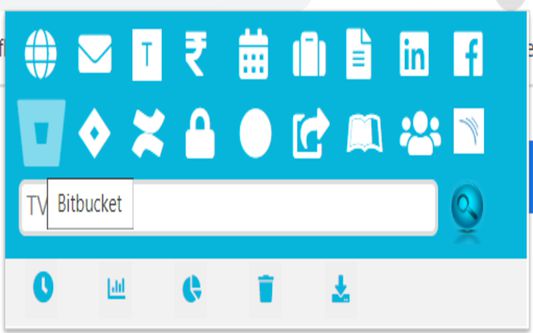
Easy Access to URLs,Manage JIRA and Hassle-free access to monitor your daily time on the browser with functions such as chart view, pie-view or even download and delete the data.
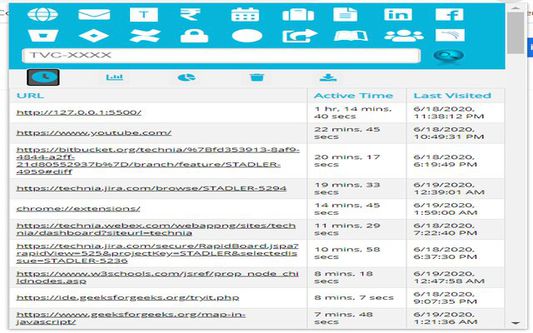
1.) Button Monitor time will load a table which displays URLS, Active Time Spent on these URLs and Last Visited date on the URL.
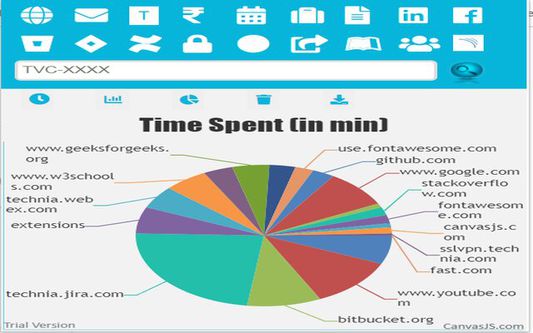
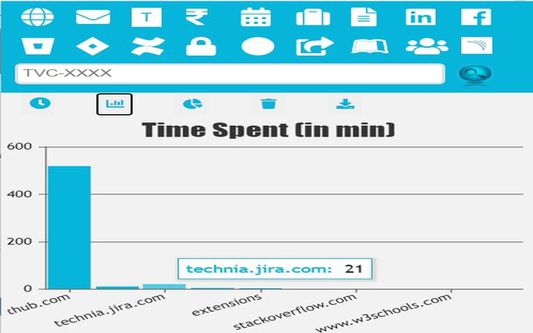
2.) Button Chart-Bar/Pie-Chart will display the data of time spent across different tabs in chrome in form of a bar-chart.
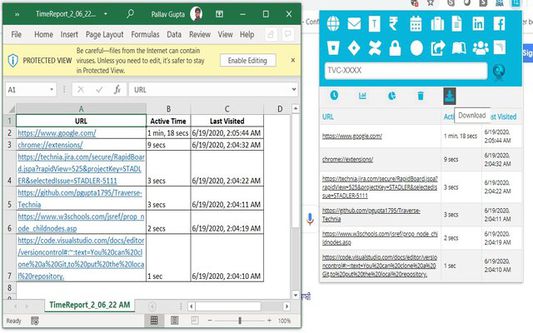
3.) Button DELETE and EXPORT will delete and export the entire table/chart.
1.) Button Monitor time will load a table which displays URLS, Active Time Spent on these URLs and Last Visited date on the URL.
2.) Button Chart-Bar/Pie-Chart will display the data of time spent across different tabs in chrome in form of a bar-chart.
3.) Button DELETE and EXPORT will delete and export the entire table/chart.
Hassle-free access to monitor your daily time on the browser with functions such as chart view, pie-view or even download and delete the data
Được xếp hạng 5 (bởi 1 người dùng)
Quyền hạn và dữ liệu
Quyền hạn bắt buộc:
- Truy cập các thẻ trên trình duyệt
- Truy cập dữ liệu của bạn trên mọi trang web
Thêm thông tin
- Liên kết tiện ích
- Phiên bản
- 1.0.0.4
- Kích cỡ
- 749,93 KB
- Cập nhật gần nhất
- 6 năm trước (6 Thg 07 2020)
- Thể loại có liên quan
- Giấy phép
- Mozilla Public License 2.0
- Lịch sử các phiên bản
- Thêm vào bộ sưu tập