Website History Delete bởi TheWebDev
Allows the user to delete history of a particular website.
7 người dùng7 người dùng
Siêu dữ liệu mở rộng
Ảnh chụp màn hình
Về tiện ích mở rộng này
Sometimes you want to delete all the history related to a website you visited. Say you visited many links in github.com and don't want anyone to find it.
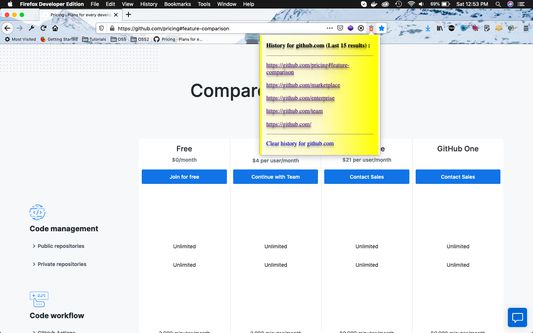
Then from any gitbub.com tab ,click on the "red trash" icon inside the browser's URL bar.
It gives a popup of the last 15 github.com links you visited . Click on "Clear history for github.com" to clear all history.
Then from any gitbub.com tab ,click on the "red trash" icon inside the browser's URL bar.
It gives a popup of the last 15 github.com links you visited . Click on "Clear history for github.com" to clear all history.
Được xếp hạng 2 (bởi 1 người dùng)
Quyền hạn và dữ liệu
Thêm thông tin
- Liên kết tiện ích
- Phiên bản
- 1.0
- Kích cỡ
- 15,42 KB
- Cập nhật gần nhất
- 6 năm trước (25 Thg 04 2020)
- Thể loại có liên quan
- Giấy phép
- Mozilla Public License 2.0
- Lịch sử các phiên bản
- Thêm vào bộ sưu tập