
Turn Off AI Overview | Disable AI - Gemi-no 作者: chrisl.im
Google Gemini? More like Gemi-no. Turn off AI Overview with udm=14 for clean search results. Simple and future-proof.
83 位使用者83 位使用者
擴充套件後設資料
畫面擷圖


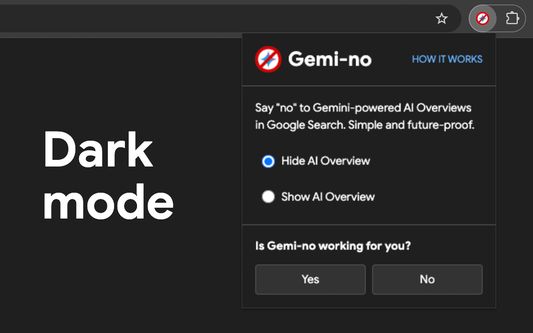

關於此擴充套件
Hide AI Overviews in Google search with one click.
Instant results, no tracking, just works.
Gemi-no gives you clean, traditional Google search results without AI-generated summaries that can be slow, inaccurate, or distracting.
🔵 Why Gemi-no?
✓ Instant - Intercepts searches before they load.
✓ Future-proof - Uses Google's own udm=14 parameter, not fragile CSS hacks.
✓ Private - Zero tracking. No data collection. Ever.
✓ Simple - One toggle switch. That's it.
🔵 How it works
Gemi-no intercepts your searches and adds Google's udm=14 parameter, which tells Google to bypass AI Overviews and redirect you to the "Web" version of Google Search.
This is the same method Google uses internally, making it reliable and resistant to breaking changes.
→ How it works: https://chrisl.im/gemino/how-it-works
🔵 How Gemi-no is different to other extensions
There are lots of ways to hide AI Overview in Google Search. Many extensions break when Google updates their search results page, or something as trivial as users using a different language in their browser.
I've tried them all and tested the limits of each method, and settled on a lightweight simple logic that leverages "udm=14" to the end of every search — an official, non-hacky method that it works every time.
→ What is udm=14?: https://chrisl.im/gemino/what-is-udm-14
🔵 Who it's for
✓ People who want real sources, not AI summaries
✓ Anyone tired of AI hallucinations
✓ Those who want the classic Google Search back
🔵 More information and feedback:
→ https://chrisl.im/gemino
→ https://chrisl.im/gemino/feedback
--
Gemi-no is not affiliated with Google.
"Google" and "Gemini" are trademarks of Google LLC.
Instant results, no tracking, just works.
Gemi-no gives you clean, traditional Google search results without AI-generated summaries that can be slow, inaccurate, or distracting.
🔵 Why Gemi-no?
✓ Instant - Intercepts searches before they load.
✓ Future-proof - Uses Google's own udm=14 parameter, not fragile CSS hacks.
✓ Private - Zero tracking. No data collection. Ever.
✓ Simple - One toggle switch. That's it.
🔵 How it works
Gemi-no intercepts your searches and adds Google's udm=14 parameter, which tells Google to bypass AI Overviews and redirect you to the "Web" version of Google Search.
This is the same method Google uses internally, making it reliable and resistant to breaking changes.
→ How it works: https://chrisl.im/gemino/how-it-works
🔵 How Gemi-no is different to other extensions
There are lots of ways to hide AI Overview in Google Search. Many extensions break when Google updates their search results page, or something as trivial as users using a different language in their browser.
I've tried them all and tested the limits of each method, and settled on a lightweight simple logic that leverages "udm=14" to the end of every search — an official, non-hacky method that it works every time.
→ What is udm=14?: https://chrisl.im/gemino/what-is-udm-14
🔵 Who it's for
✓ People who want real sources, not AI summaries
✓ Anyone tired of AI hallucinations
✓ Those who want the classic Google Search back
🔵 More information and feedback:
→ https://chrisl.im/gemino
→ https://chrisl.im/gemino/feedback
--
Gemi-no is not affiliated with Google.
"Google" and "Gemini" are trademarks of Google LLC.
由 1 位評論者給出 0 分
權限與資料
必要權限:
- 取得瀏覽紀錄
- 存取瀏覽器分頁
- 在上網時了解瀏覽器行為狀態
- 存取您在 google.com 網域中的資料
- 存取您在 www.google.com 的資料
收集下列資料:
- 開發者聲稱此擴充套件不要求收集任何資料。
更多資訊
- 版本
- 1.2.2
- 大小
- 145.38 KB
- 最近更新
- 2 個月前 (2026年6月13日)
- 授權條款
- 保留所有權利
- 版本紀錄
- 新增至收藏集