Sleep Mode 作者: matico
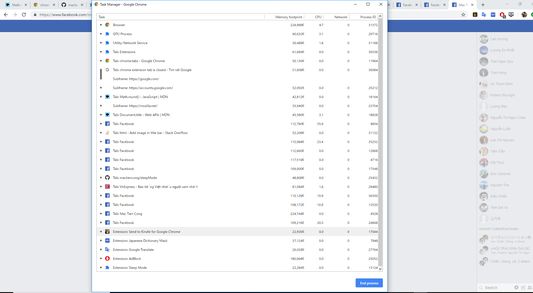
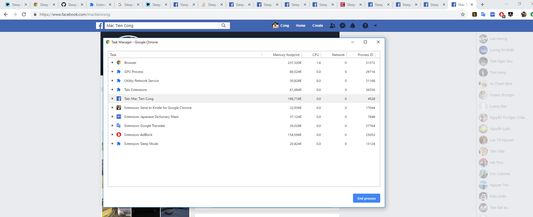
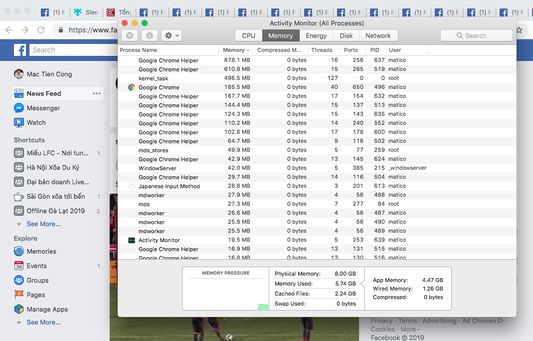
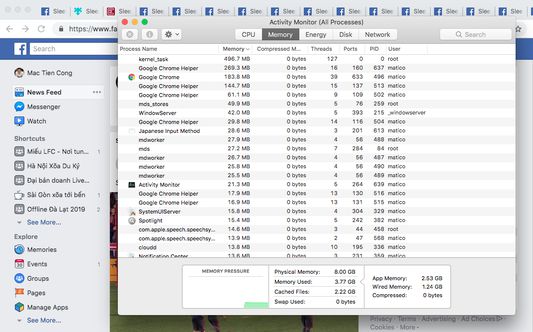
Sleep Mode will temporarily put all tabs to sleep mode for saving RAM memory, saving battery and make your computer/laptop faster.
778 位使用者778 位使用者
擴充套件後設資料
畫面擷圖
關於此擴充套件
Sleep Mode will temporarily put all tabs to sleep mode for saving RAM memory, saving BATTERY and make your computer/laptop FASTER.
But it still keep current working tab in normal mode. You still able to continue to work on this tab.
When you switch to other tab, this tab will be woke up to normal mode and previous tab will immediately set to sleep mode. Does not interrupt your work.
When open a sleeping tab, immediately it will be woke up to ready for working.
* Saving RAM memory
* Saving BATTERY
* Make your computer/laptop FASTER
* Allow setting (still alpha version)
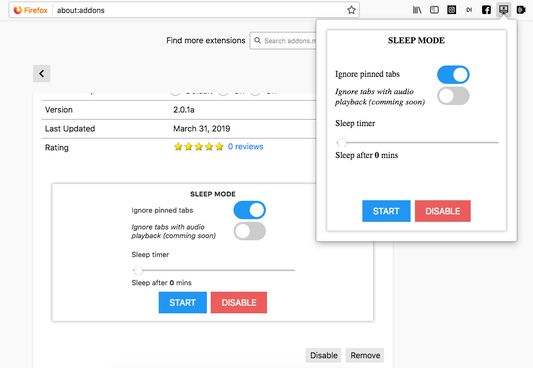
- Ignore pinned tabs
- Ignore tabs with audio playback (Youtube, ...)
- Ignore Google Docs and Office Online Tabs
- Sleep timer: sleep mode automatically will be actived after 0-100 mins
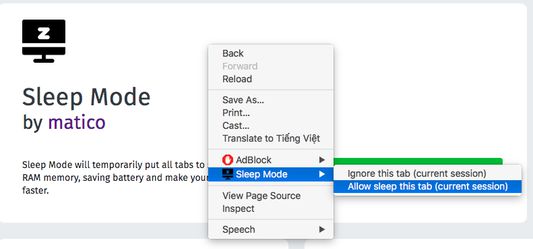
* Allow setting "Ignore this tab (current session)" and "Allow sleep this tab (current session)" on context menu (right click on tab page)
But it still keep current working tab in normal mode. You still able to continue to work on this tab.
When you switch to other tab, this tab will be woke up to normal mode and previous tab will immediately set to sleep mode. Does not interrupt your work.
When open a sleeping tab, immediately it will be woke up to ready for working.
* Saving RAM memory
* Saving BATTERY
* Make your computer/laptop FASTER
* Allow setting (still alpha version)
- Ignore pinned tabs
- Ignore tabs with audio playback (Youtube, ...)
- Ignore Google Docs and Office Online Tabs
- Sleep timer: sleep mode automatically will be actived after 0-100 mins
* Allow setting "Ignore this tab (current session)" and "Allow sleep this tab (current session)" on context menu (right click on tab page)
由 1 位評論者給出 3.5 分
權限與資料
更多資訊