
PageSaver - Webpage to PDF or Image wót PixelsTech
Webpage to PDF converter with full page support and reader mode. Save web pages as PDF document or image with professional formatting.
2.221 wužywarjow2.221 wužywarjow
Metadaty rozšyrjenja
Fota wobrazowki

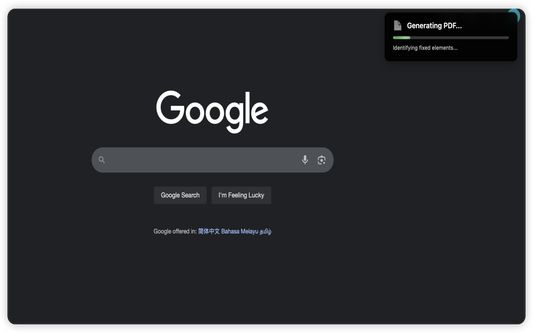

Wó toś tom rozšyrjenju
Transform how you capture, save, and process web content with PageSaver - your all-in-one browser productivity tool.
PageSaver is the ultimate browser extension for capturing, converting, and managing web content. Whether you need to save an entire webpage as PDF, capture full-page screenshots including content beyond the viewport, PageSaver has you covered.
PERFECT FOR:
* Saving webpage(including long webpage) as PDF or Image
• Saving long ChatGPT conversations and thread discussions
• Creating clean, readable PDFs from cluttered web articles
• Archiving important web content for offline access
• Converting web pages to multiple formats for documentation
KEY FEATURES
📸 ADVANCED SCREENSHOT & CAPTURE
• Full Page Screenshot - Capture entire webpages, including content outside the viewport
• Long Page Support - Perfect for capturing infinite scroll pages, ChatGPT conversations, and lengthy discussions
• Flexible Capture Modes - Capture the visible area, draw to select a region, or pick a specific element on the page
• Built-in Screenshot Editor - Annotate captures with pen, highlighter, shapes, arrows, text, blur, and pixelate tools; undo/redo support
• Multiple Export Formats - Save screenshots as PNG, JPG, WebP, or PDF directly from the editor
📄 SAVE WEBPAGE AS PDF
• One-Click PDF Export - Convert any webpage to PDF instantly
• Reader Mode PDF - Generate clean, distraction-free PDFs from webpage with enhanced readability
• HTML to PDF Converter - Transform web content into professional documents
📝 MARKDOWN EXPORT
• Save as Markdown - Convert webpages to Markdown format for easy editing
• Preserve Structure - Maintain heading hierarchy and formatting
• Developer-Friendly - Perfect for documentation and note-taking
🔖 SAVE FOR LATER
• Bookmark & Archive - Save webpages for later retrieval
• Offline Access - Download saved pages as PDF anytime
• Content Library - Build your personal web content collection
COMMON USE CASES
FOR RESEARCHERS & STUDENTS
• Save research articles as clean PDFs
• Archive academic resources for offline study
• Convert web content to Markdown for notes
FOR PROFESSIONALS
• Capture complete client conversations (Slack, email threads, chat logs)
• Create PDF reports from web dashboards
• Archive important documentation
FOR CONTENT CREATORS
• Save inspiration and reference materials
• Capture social media threads and discussions
• Convert web tutorials to offline formats
FOR EVERYONE
• Screenshot full webpages without scrolling
• Save recipes, articles, and guides as PDFs
• Keep important information accessible offline
WHY CHOOSE PAGESAVER?
✓ All-in-One Solution - Multiple tools in one extension
✓ Fast & Efficient - Capture and convert in seconds
✓ User-Friendly - Intuitive interface, no technical knowledge required
✓ Actively Maintained - Regular updates and improvements
WHAT YOU CAN DO WITH PAGESAVER:
✓ Save webpage as PDF
✓ Save webpage as image
✓ Save webpage as Markdown
✓ Convert HTML to PDF
✓ Convert HTML to Image
✓ Full page screenshot capture
✓ Screenshot entire webpage (including scrollable content)
✓ Capture long ChatGPT conversations
✓ Capture visible area, selected region, or specific page element
✓ Edit and annotate screenshots with drawing, text, blur and more
✓ Export screenshots as PNG, JPG, WebP, or PDF
✓ Generate reader mode PDFs
✓ Save for later reading
✓ Offline webpage archive
START SAVING SMARTER TODAY
Install PageSaver now and revolutionize how you capture, save, and manage web content. Whether you're a student, professional, researcher, or casual user, PageSaver provides the tools you need to work more efficiently online.
Download PageSaver and never lose important web content again!
SUPPORT & FEEDBACK
Questions? Suggestions? We'd love to hear from you! Your feedback helps us improve PageSaver for everyone.
PageSaver - Capture. Convert. Save. All in one click.
PageSaver is the ultimate browser extension for capturing, converting, and managing web content. Whether you need to save an entire webpage as PDF, capture full-page screenshots including content beyond the viewport, PageSaver has you covered.
PERFECT FOR:
* Saving webpage(including long webpage) as PDF or Image
• Saving long ChatGPT conversations and thread discussions
• Creating clean, readable PDFs from cluttered web articles
• Archiving important web content for offline access
• Converting web pages to multiple formats for documentation
KEY FEATURES
📸 ADVANCED SCREENSHOT & CAPTURE
• Full Page Screenshot - Capture entire webpages, including content outside the viewport
• Long Page Support - Perfect for capturing infinite scroll pages, ChatGPT conversations, and lengthy discussions
• Flexible Capture Modes - Capture the visible area, draw to select a region, or pick a specific element on the page
• Built-in Screenshot Editor - Annotate captures with pen, highlighter, shapes, arrows, text, blur, and pixelate tools; undo/redo support
• Multiple Export Formats - Save screenshots as PNG, JPG, WebP, or PDF directly from the editor
📄 SAVE WEBPAGE AS PDF
• One-Click PDF Export - Convert any webpage to PDF instantly
• Reader Mode PDF - Generate clean, distraction-free PDFs from webpage with enhanced readability
• HTML to PDF Converter - Transform web content into professional documents
📝 MARKDOWN EXPORT
• Save as Markdown - Convert webpages to Markdown format for easy editing
• Preserve Structure - Maintain heading hierarchy and formatting
• Developer-Friendly - Perfect for documentation and note-taking
🔖 SAVE FOR LATER
• Bookmark & Archive - Save webpages for later retrieval
• Offline Access - Download saved pages as PDF anytime
• Content Library - Build your personal web content collection
COMMON USE CASES
FOR RESEARCHERS & STUDENTS
• Save research articles as clean PDFs
• Archive academic resources for offline study
• Convert web content to Markdown for notes
FOR PROFESSIONALS
• Capture complete client conversations (Slack, email threads, chat logs)
• Create PDF reports from web dashboards
• Archive important documentation
FOR CONTENT CREATORS
• Save inspiration and reference materials
• Capture social media threads and discussions
• Convert web tutorials to offline formats
FOR EVERYONE
• Screenshot full webpages without scrolling
• Save recipes, articles, and guides as PDFs
• Keep important information accessible offline
WHY CHOOSE PAGESAVER?
✓ All-in-One Solution - Multiple tools in one extension
✓ Fast & Efficient - Capture and convert in seconds
✓ User-Friendly - Intuitive interface, no technical knowledge required
✓ Actively Maintained - Regular updates and improvements
WHAT YOU CAN DO WITH PAGESAVER:
✓ Save webpage as PDF
✓ Save webpage as image
✓ Save webpage as Markdown
✓ Convert HTML to PDF
✓ Convert HTML to Image
✓ Full page screenshot capture
✓ Screenshot entire webpage (including scrollable content)
✓ Capture long ChatGPT conversations
✓ Capture visible area, selected region, or specific page element
✓ Edit and annotate screenshots with drawing, text, blur and more
✓ Export screenshots as PNG, JPG, WebP, or PDF
✓ Generate reader mode PDFs
✓ Save for later reading
✓ Offline webpage archive
START SAVING SMARTER TODAY
Install PageSaver now and revolutionize how you capture, save, and manage web content. Whether you're a student, professional, researcher, or casual user, PageSaver provides the tools you need to work more efficiently online.
Download PageSaver and never lose important web content again!
SUPPORT & FEEDBACK
Questions? Suggestions? We'd love to hear from you! Your feedback helps us improve PageSaver for everyone.
PageSaver - Capture. Convert. Save. All in one click.
Z 3,7 wót 9 pógódnośujucych pógódnośony
Pšawa a daty
Trjebne pšawa:
- Daty do mjazywótkłada kopěrowaś
- Ześěgniśo dataje a cytajśo a změńśo ześěgnjeńsku historiju swójogo wobglědowaka
- Pśistup k rejtarikam wobglědowaka měś
- Pśistup k wašym datam za wšykne websedła měś
Dalšne informacije
- Dodankowe wótzkaze
- Wersija
- 2.5.8
- Wjelikosć
- 319,02 KB
- Slědny raz zaktualizěrowany
- prije 23 dana (24. srp. 2026)
- Pśiswójźbne kategorije
- Licenca
- Wšykne pšawa wuměnjone
- Wersijowa historija
- Wobznamjenja
- Zběrce pśidaś
Wuwijaŕ toś togo rozšyrjenja was pšosy, mały pśinošk pósćiś, aby jogo wuwiśe pódpěrał.