Tabswiper wót He4eT
Clear the list of your tabs from outdated and unnecessary ones
3 wužywarje3 wužywarje
Metadaty rozšyrjenja
Fota wobrazowki
Wó toś tom rozšyrjenju
A Firefox extension that makes trimming your tabs as effortless as swiping on a dating app.
How to Use It:
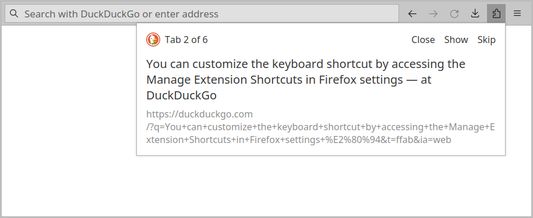
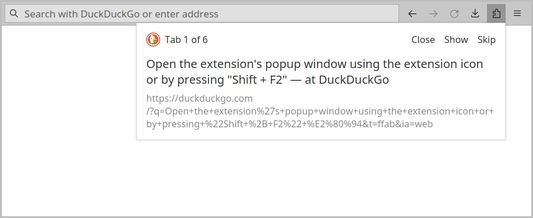
1. Open the extension's popup window using the extension icon or by pressing Shift + F2. You can customize the keyboard shortcut by accessing the Manage Extension Shortcuts in Firefox settings.
2. Navigate through your list of open tabs using buttons or your keyboard:
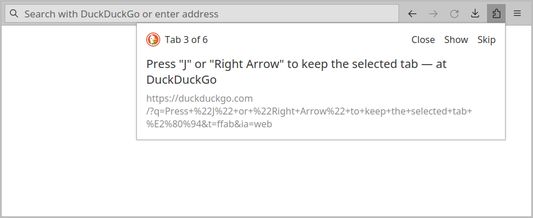
- Press J or Right Arrow to keep the selected tab.
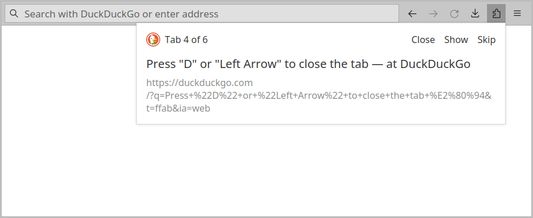
- Press D or Left Arrow to close the tab.
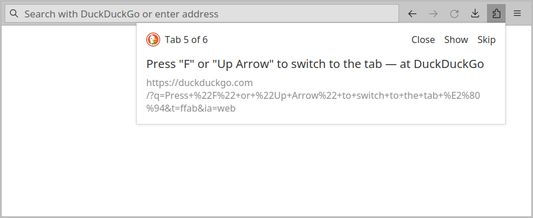
- Press F or Up Arrow to switch to the tab.
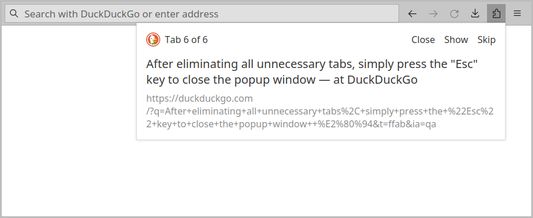
3. After eliminating all unnecessary tabs, simply press the Esc key to close the popup window.
How to Use It:
1. Open the extension's popup window using the extension icon or by pressing Shift + F2. You can customize the keyboard shortcut by accessing the Manage Extension Shortcuts in Firefox settings.
2. Navigate through your list of open tabs using buttons or your keyboard:
- Press J or Right Arrow to keep the selected tab.
- Press D or Left Arrow to close the tab.
- Press F or Up Arrow to switch to the tab.
3. After eliminating all unnecessary tabs, simply press the Esc key to close the popup window.
Z 5 wót 2 pógódnośujuceju pógódnośony
Pšawa a daty
Dalšne informacije
- Dodankowe wótzkaze
- Wersija
- 1.0.1
- Wjelikosć
- 14,8 KB
- Slědny raz zaktualizěrowany
- kaksi vuotta sitten (19. tammi 2024)
- Pśiswójźbne kategorije
- Licenca
- Licenca MIT
- Wersijowa historija
- Zběrce pśidaś