Fire Resizer 作者: Francesco De Stefano
Display and set your browser width. Excellent for responsive web design and testing media queries. Includes keyboard shortcuts!
68 个用户68 个用户
扩展元数据
屏幕截图
关于此扩展
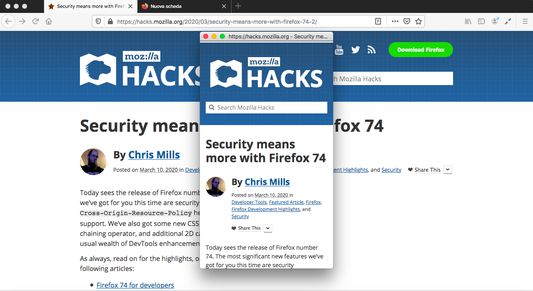
Add-on to resize the browser window.
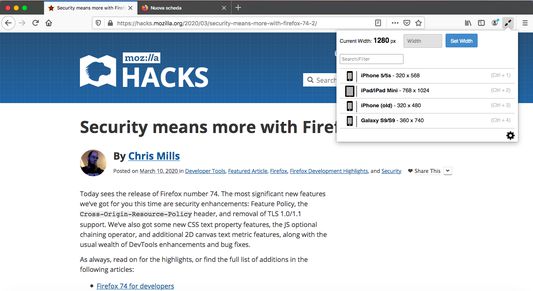
With quick presets for mobile devices, check media queries or your mobile website with a single keystroke.
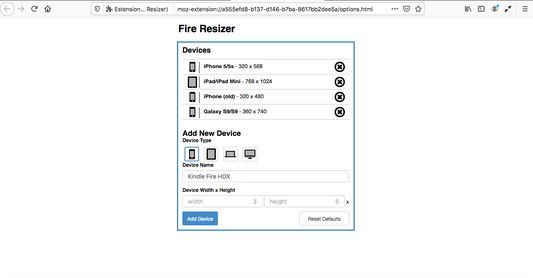
You can set your own custom presets for your devices.
Your presets will be synced across all devices currently logged into your account.
Keyboard Shortcuts
-
The extension allows for numerous keyboard shortcuts to speed up development:
* Ctrl + Right Arrow - opens the extension popup
* Up - manually increases browser width
* Down - manually decreases browser width
* Ctrl + 1-0 - resizes to saved preset
* Ctrl + Shift + 1-0 - resizes to the landscape/inverse of saved preset
* Ctrl + Esc - resets browser window to 1200x800
Cmd is substituted for Ctrl on Mac.
NOTE: Because Cmd + Shift + 3 and Cmd + Shift + 4 on a Mac take a screenshot, landscape orientation for the devices in position 3 and 4 won't work on a Mac.
With quick presets for mobile devices, check media queries or your mobile website with a single keystroke.
You can set your own custom presets for your devices.
Your presets will be synced across all devices currently logged into your account.
Keyboard Shortcuts
-
The extension allows for numerous keyboard shortcuts to speed up development:
* Ctrl + Right Arrow - opens the extension popup
* Up - manually increases browser width
* Down - manually decreases browser width
* Ctrl + 1-0 - resizes to saved preset
* Ctrl + Shift + 1-0 - resizes to the landscape/inverse of saved preset
* Ctrl + Esc - resets browser window to 1200x800
Cmd is substituted for Ctrl on Mac.
NOTE: Because Cmd + Shift + 3 and Cmd + Shift + 4 on a Mac take a screenshot, landscape orientation for the devices in position 3 and 4 won't work on a Mac.
评分 4.2(1 位用户)
权限与数据
更多信息